What should I do if the timer precision is insufficient when using a controller based on the CODESYS system?
I. Functions and Precautions
(1) Function Description: This document provides a useful technique for scenarios where the precision of a standard timer is insufficient.
(2) Precautions: For our company’s NIMC2000N-B series, the task cycle must be set to at least 2ms; therefore, timers should generally also be set to 2ms or greater. In this example, a value of 1ms is used specifically to demonstrate performance under extreme conditions.
II. Operational Steps
(1) Open your CODESYS project, go to the "Tools" menu, and select "Library Repository."
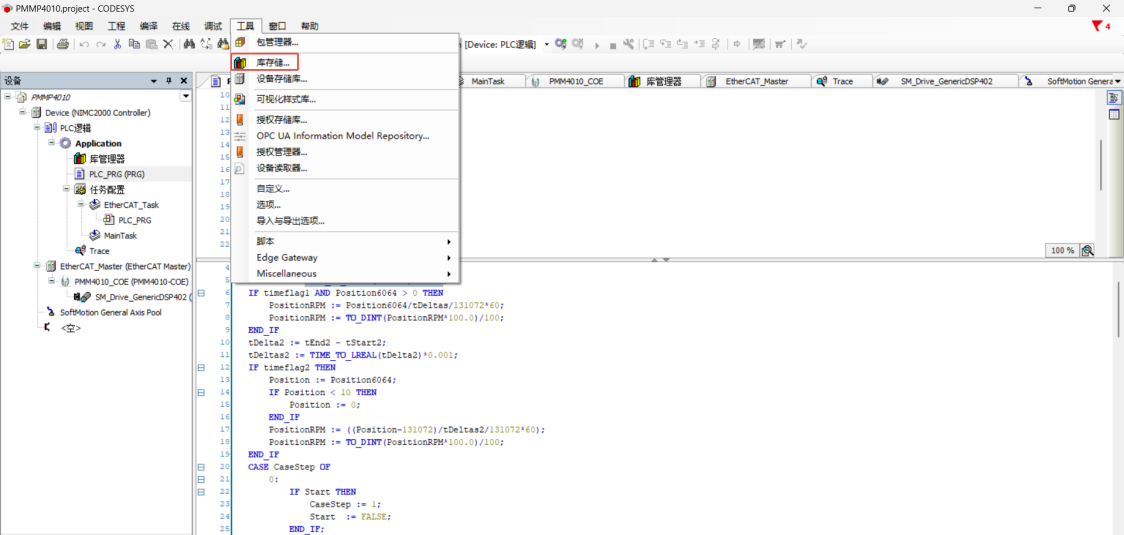
Figure 2.1
(2) Click "Find" in the window that appears.
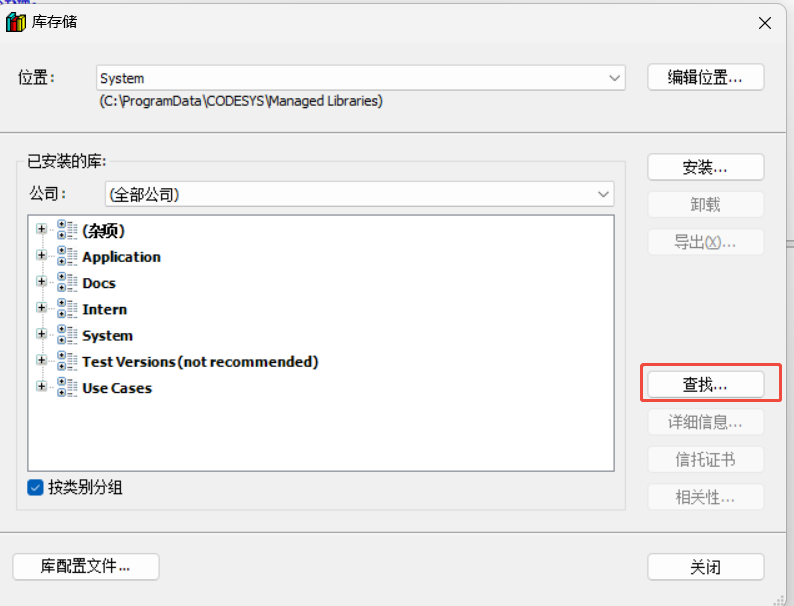
Figure 2.2
(3) Enter "systimecore" into the search field at the top of the "Find Library" window, select "SysTimeCore" (version 3.5.17.0) from the list, and click "Open" at the bottom.
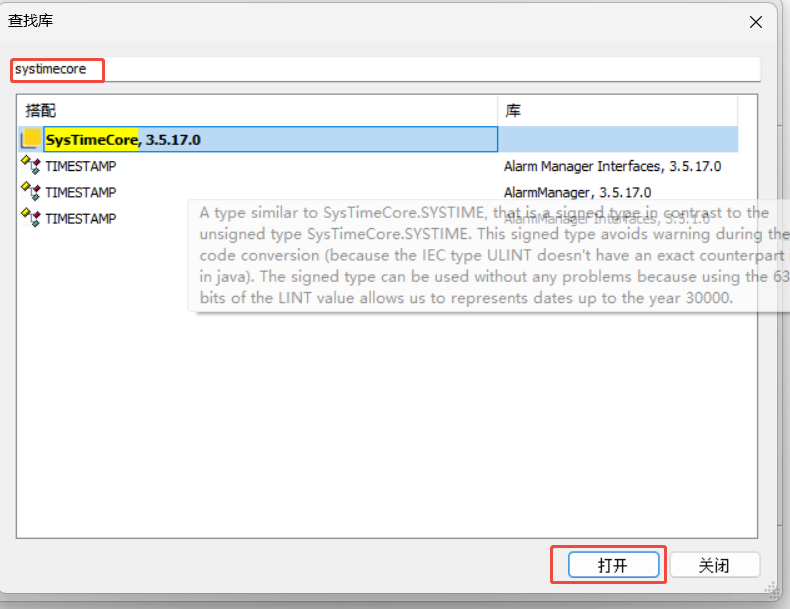
Figure 2.3
(4) Once the library appears in the list of installed libraries (as shown in the red box below), the installation is complete.

Figure 2.4
(5) Double-click "Library Manager" on the left-hand side to open the Library Manager interface.
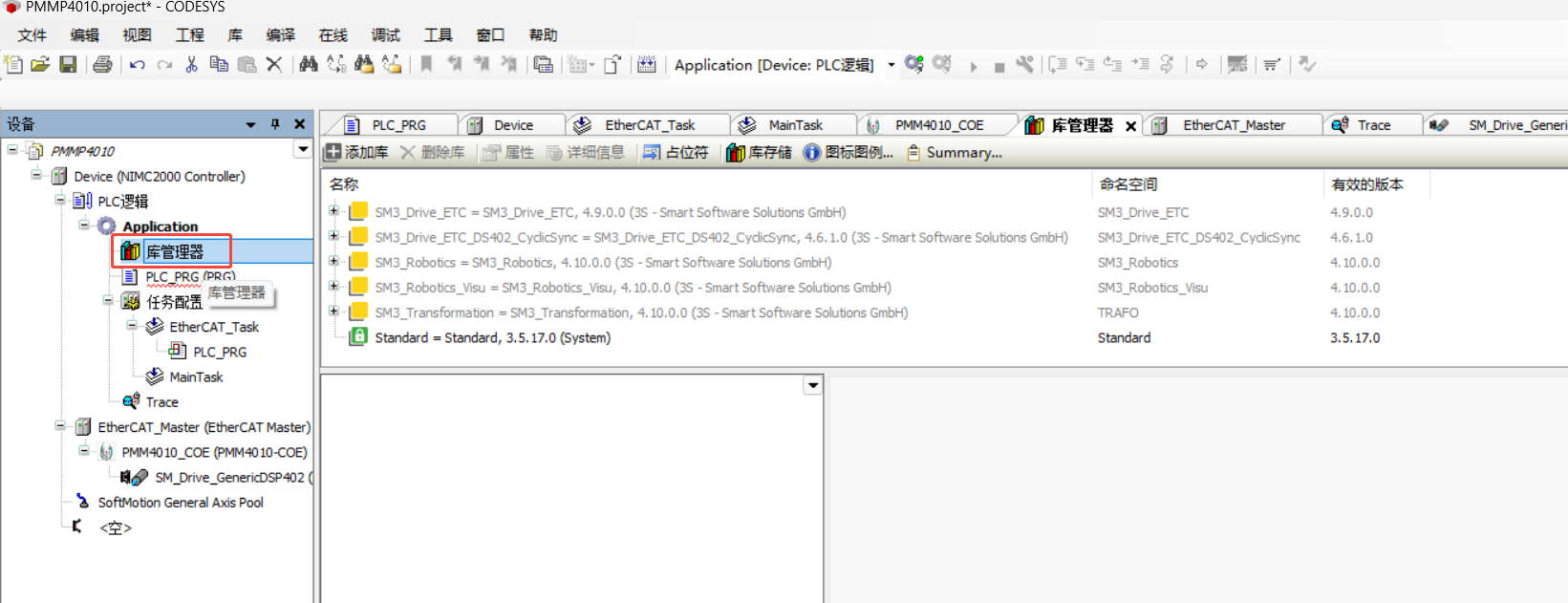
Figure 2.5
(6) Click "Add Library."

Figure 2.6
(7) Select "Advanced."
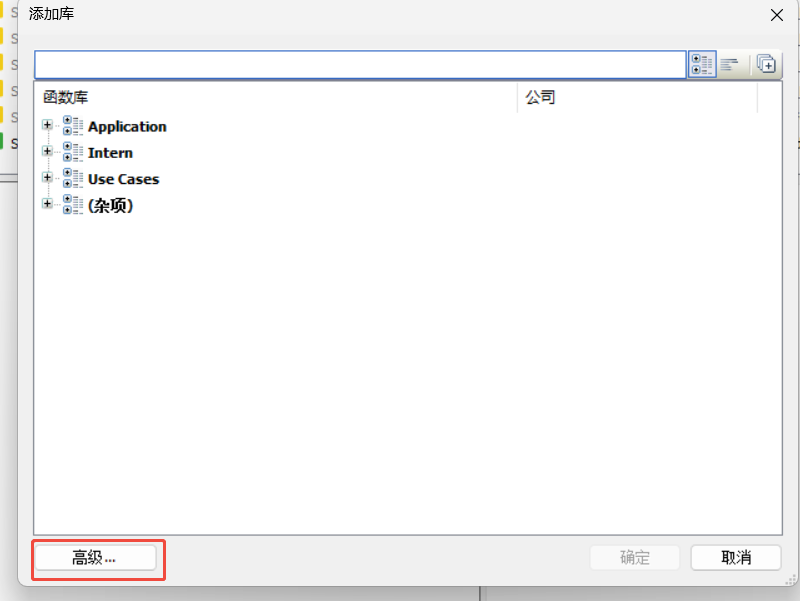
Figure 2.7
(8) Enter "systimecore" into the text box at the top of the "Add Library" window, select the first library that appears in the list below, and click "OK" to add the newly installed library to your project.

Figure 2.8
(9) Once successfully added, the library will appear in the list, as shown below.
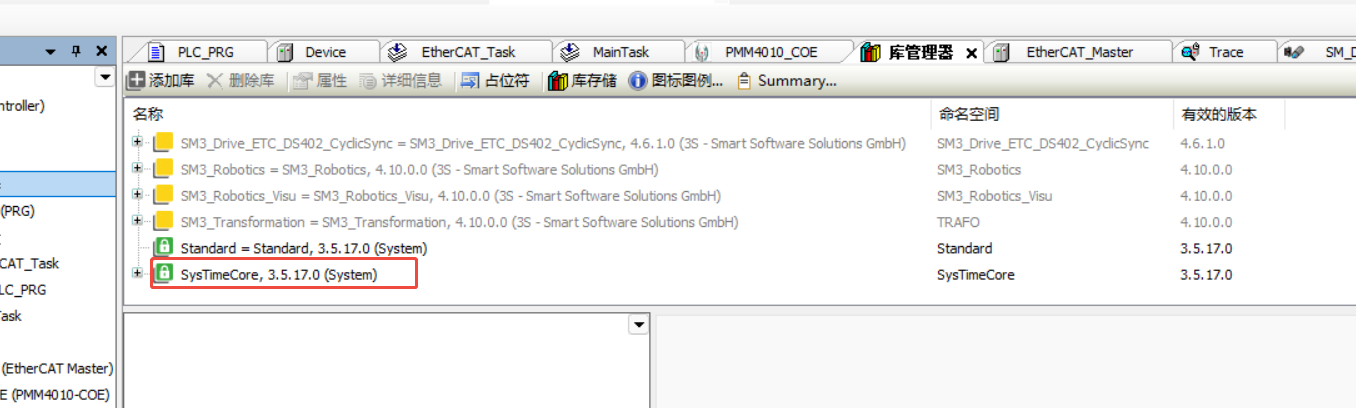
Figure 2.9
(10) Return to PLC_PRG and declare a timer TON1), two variables of type TIME TimeStart and TimeEnd), and one variable of type DINT TimeDelta).

Figure 2.10
(11) Instantiate the timer within the program editor below.
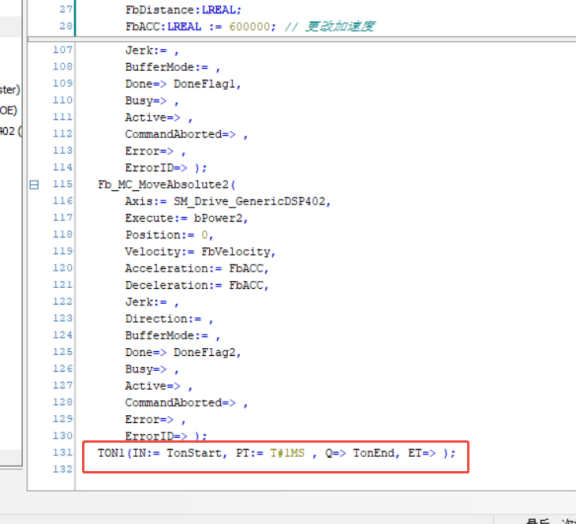
Figure 2.11
(12) As shown in the figure below, use the SysTimeGetMs() function to capture the system time at the start of the timer, and again at the end of the timer. By calculating the difference between these two timestamps, you can obtain a more precise duration for the timer's operation, stored in the TimeDelta variable.

Figure 2.12
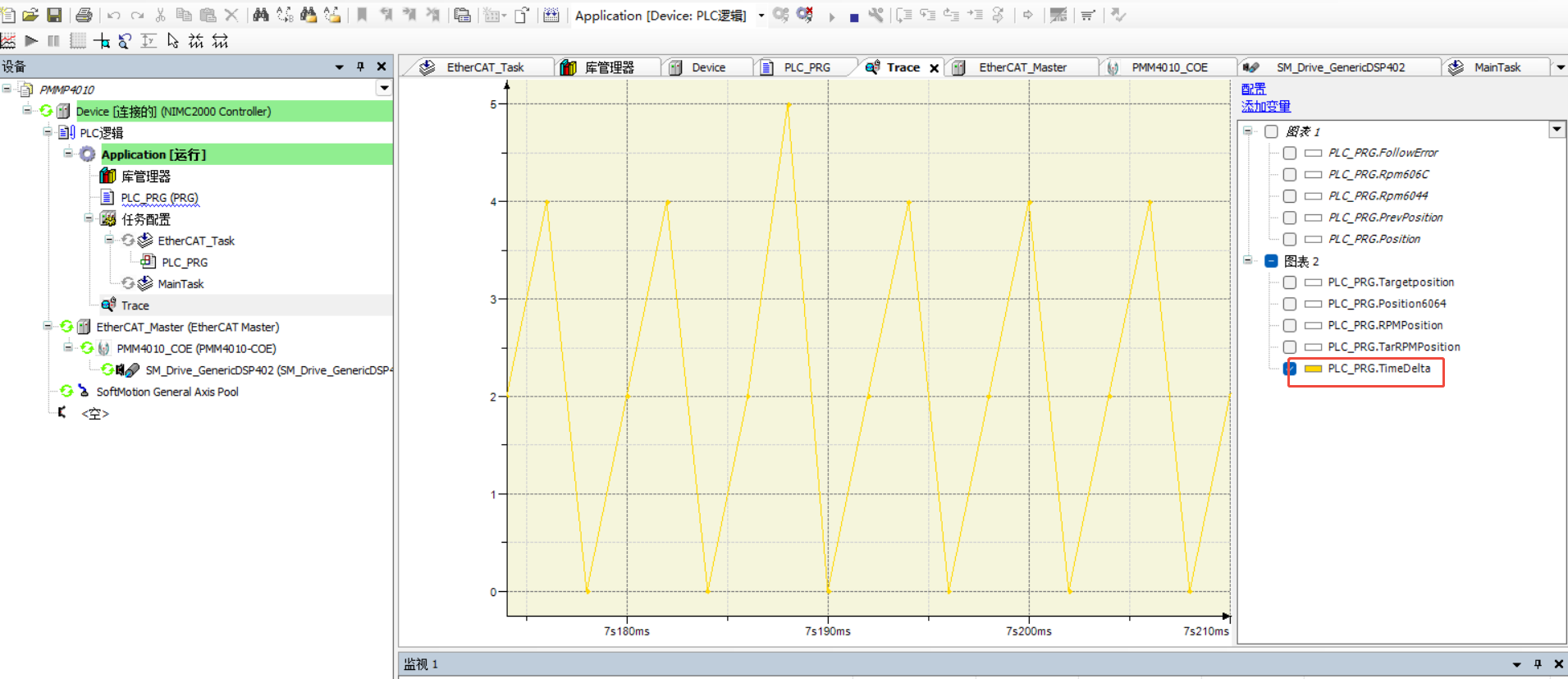
(13) As shown in the figure below, although the timer is set for a 1ms interval, hardware limitations mean the actual duration may vary—typically ranging from 0 to 5ms. Using this more precise timing value to correct your sampled data will yield better results.