How to view 3D-PDF drawings of motors
I. Introduction and Important Notes
(1) Document Purpose: Some customers have reported that when they open our company’s 3D-PDF motor drawings, the content appears blank. This document provides instructions on how to correctly view these 3D-PDF motor drawings.
(2) Important Notes: A 3D PDF is a specialized PDF format that contains an embedded 3D model. To view and interact with it properly, you generally need a dedicated 3D PDF viewer or professional PDF software that supports this feature (such as Adobe Acrobat Pro). Please note that standard PDF tools—such as those found in WPS Office—do not currently support this functionality.
II. Instructions for Use
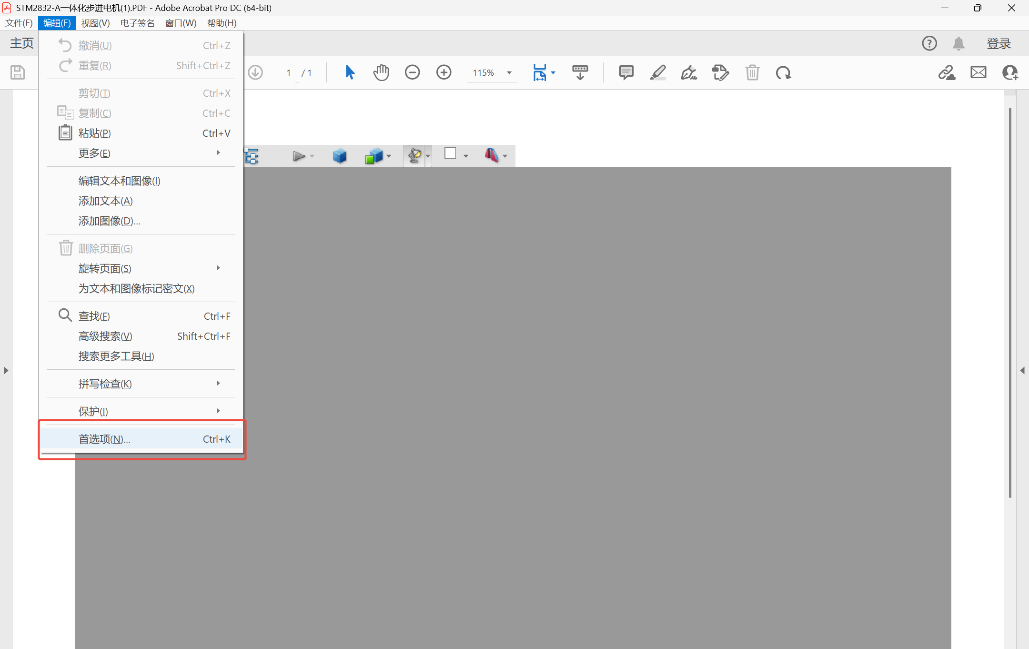
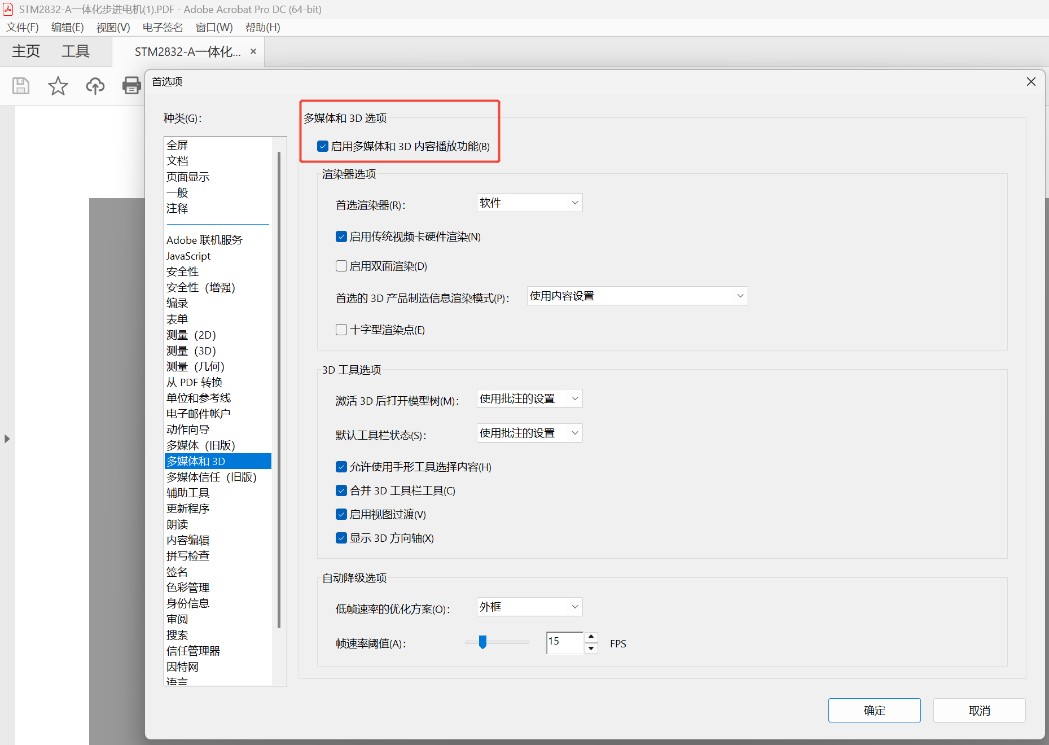
Open Adobe Acrobat Pro, go to "Preferences," select "Multimedia & 3D," and ensure that the option "Enable playing of multimedia and 3D content" is selected.